Any channel over Bluetooth
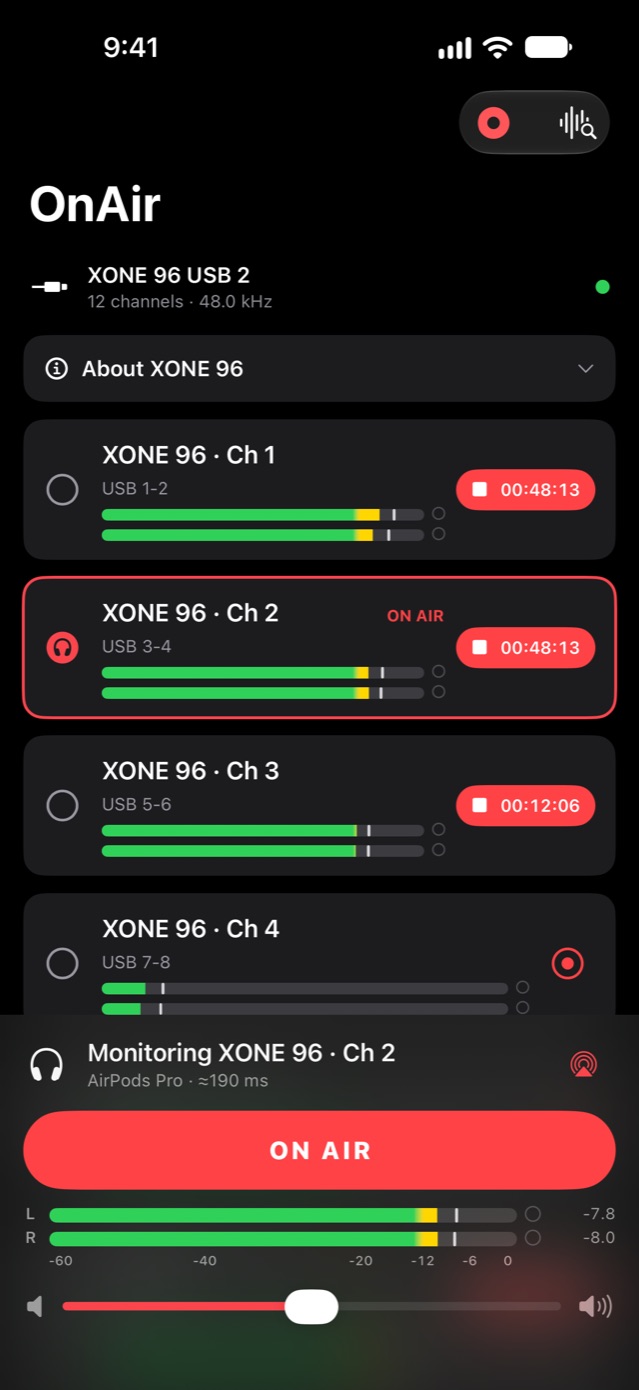
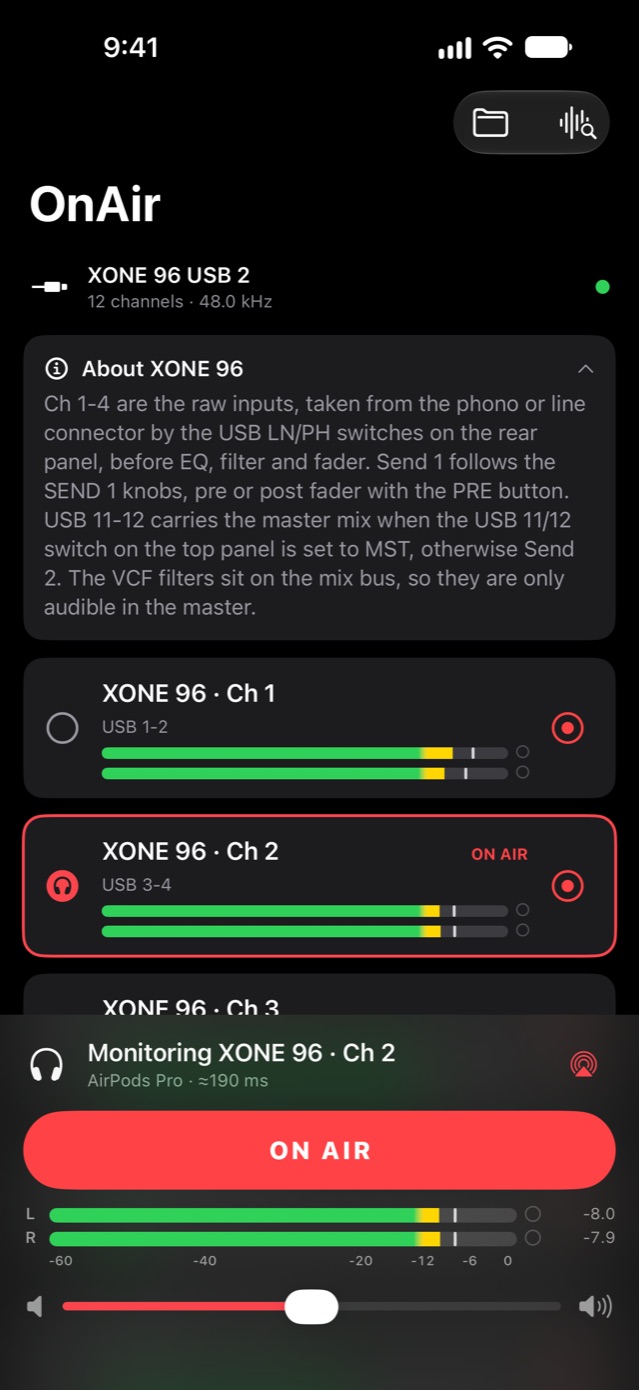
Every input of your USB interface shows up as a stereo pair. Pick one, press ON AIR and hear it on AirPods or any Bluetooth headphones or speaker.
Plug your USB mixer into iPhone, pick a channel and listen over Bluetooth. Record every channel to its own file while you play.
No account · No ads · Your audio never leaves your iPhone
Features
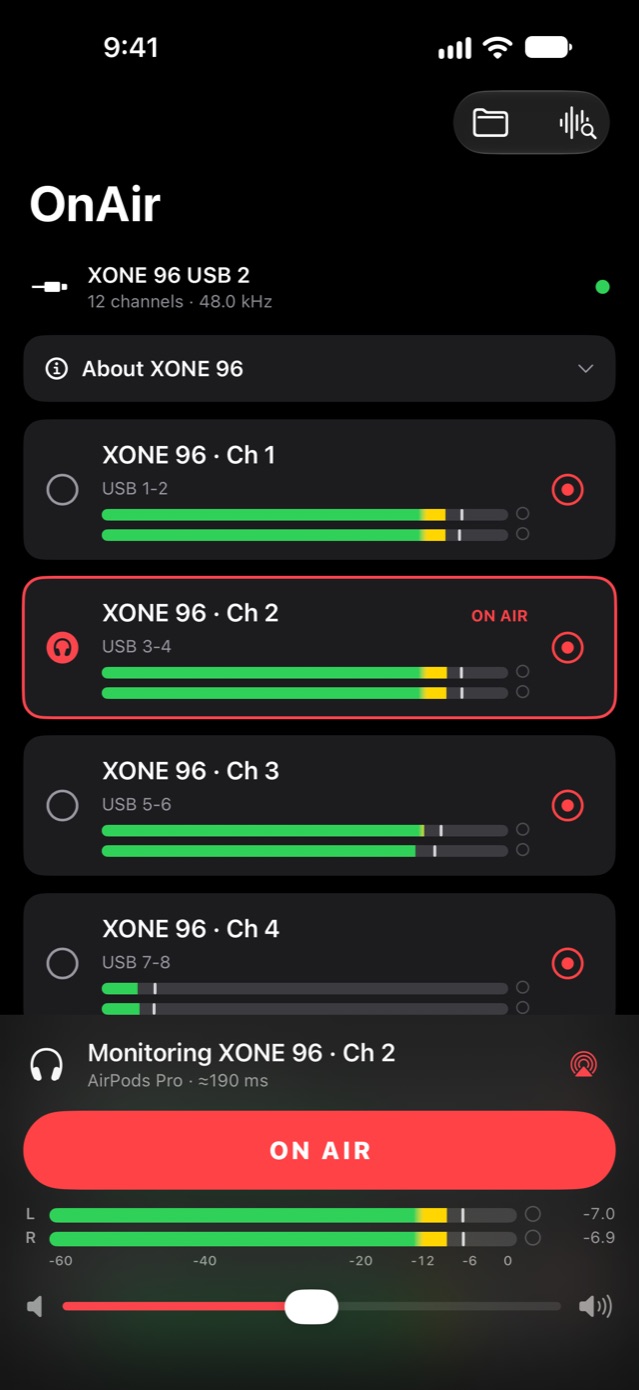
Every input of your USB interface shows up as a stereo pair. Pick one, press ON AIR and hear it on AirPods or any Bluetooth headphones or speaker.
Each pair has its own REC button: the master for the whole set, a deck for ten minutes, each to a separate file.
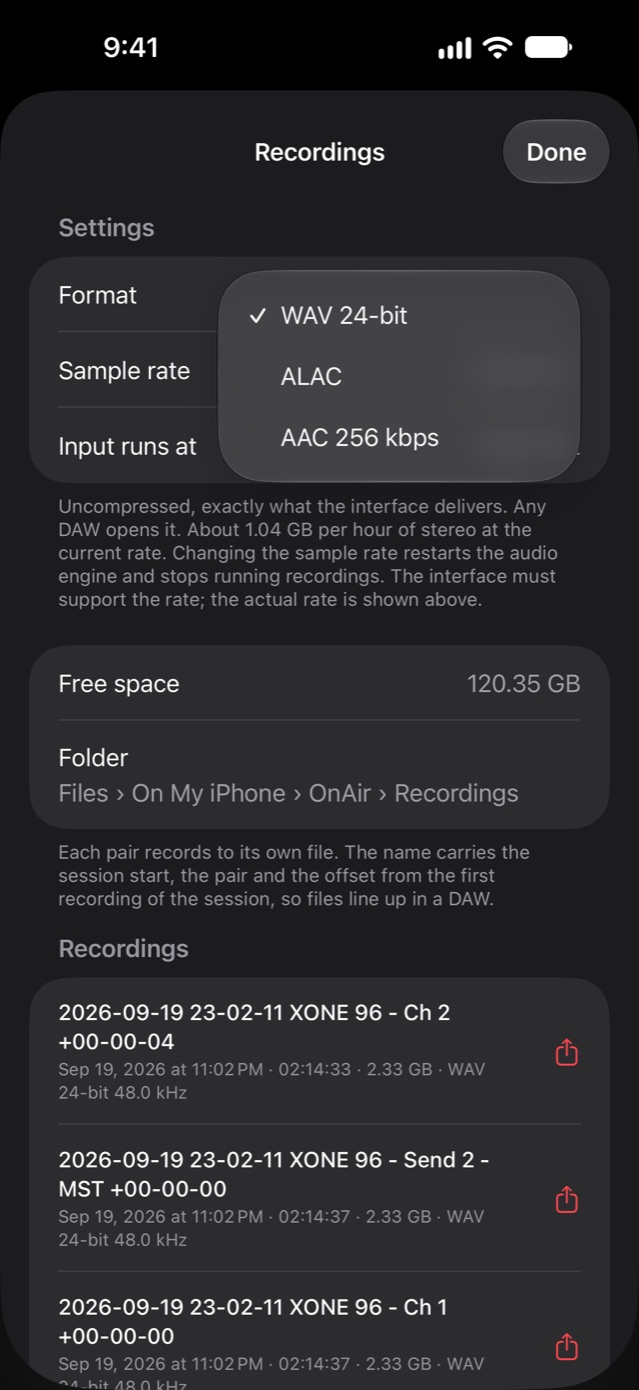
24-bit WAV for your DAW, lossless ALAC at about half the size, AAC 256 kbps for sharing. 48 kHz, or 96 kHz on interfaces that support it.
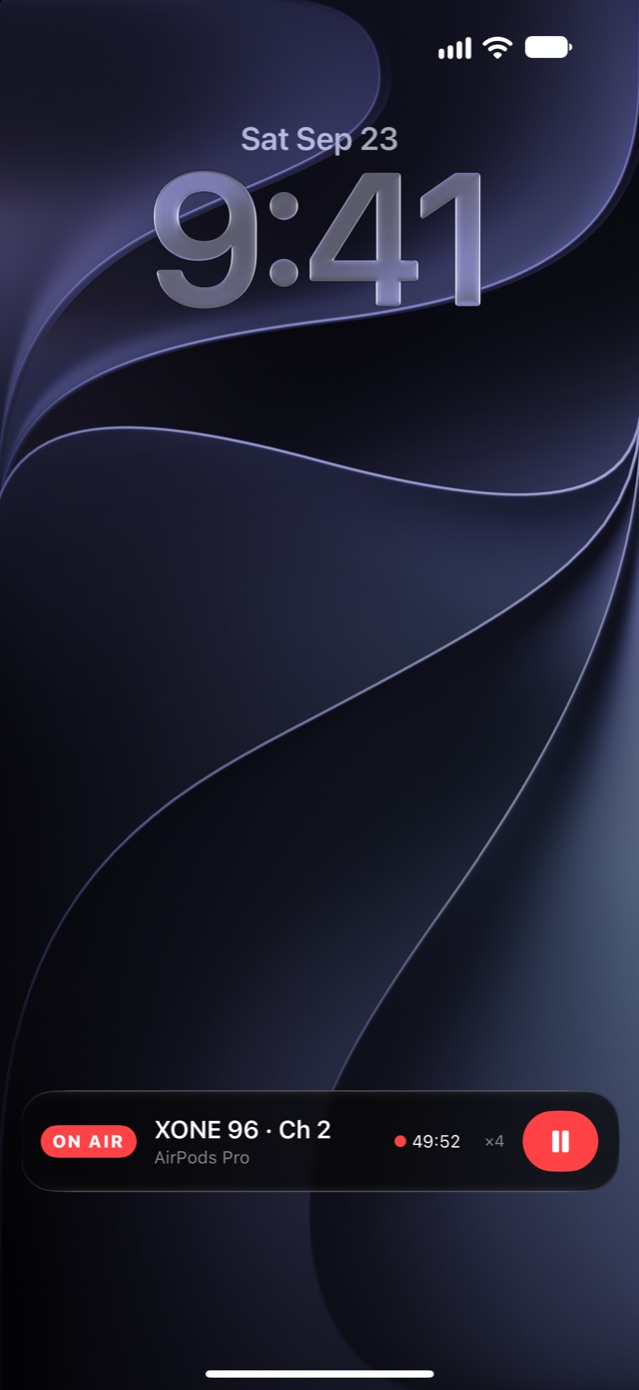
ON AIR, the channel and the recording timer stay one tap away. Play and pause switch ON AIR, skip jumps to the next channel.
Peak meters with peak hold, clip indicators and a dB scale on every channel, plus a meter of exactly what reaches your headphones.
Channels named and the master marked for popular DJ mixers. Long-press any pair to rename it or mark your own master.
How it works
Connect its USB port to iPhone with a USB-C cable, or the Lightning to USB Camera Adapter on older iPhones.
A deck, a send or the master mix. Tap it and press ON AIR.
Hear it in your AirPods. Hit REC on any pair; the files land in the Files app, ready for your DAW.
Screens
Mixers
If your mixer or interface works with iPhone without drivers, it works with OnAir. For the models listed here OnAir also knows what each USB channel carries: it names the pairs, marks the master and explains the switches that change what goes over USB.
Layouts follow the manufacturers’ factory defaults. Changed yours in the mixer’s utility? Rename the pairs in the app.
FAQ
Bluetooth adds its own delay, typically 150–200 ms with AirPods. OnAir is made for listening to and checking a channel, not for beatmatching by ear.
Any class-compliant USB audio device, the kind that works with iPhone without drivers. For popular DJ mixers OnAir also knows which USB channel carries what.
On iPhones with USB-C, use a USB-C cable that fits your mixer’s USB port, usually USB-C to USB-B. On iPhones with Lightning, use the Lightning to USB Camera Adapter.
In the Files app, under On My iPhone › OnAir › Recordings. Each file name carries the session start, the channel and its offset, so the files line up in any DAW.
Yes. Monitoring and recording carry on, and ON AIR with the recording timer stays on the Lock Screen and in the Dynamic Island.
No. Audio and recordings never leave your iPhone. OnAir sends only anonymous usage statistics and crash reports, see the privacy policy.
An iPhone with iOS 18 or later, a class-compliant USB mixer or audio interface, and Bluetooth headphones or a speaker.
Write to acreates@icloud.com. Tell me your mixer model and iPhone, and what you are trying to do.
OnAir for iPhone. No account, no ads.